v1.0
Widget & Install
A beautiful, brandable chat widget that drops into any site with one line of code.
Quick start
Setup time
2 minutes
Prerequisites
- •Access to your site's HTML or tag manager
Outcomes
- Widget visible on your site, themed to your brand
Step-by-step walkthrough
Numbered, real-world instructions you can follow today.
1
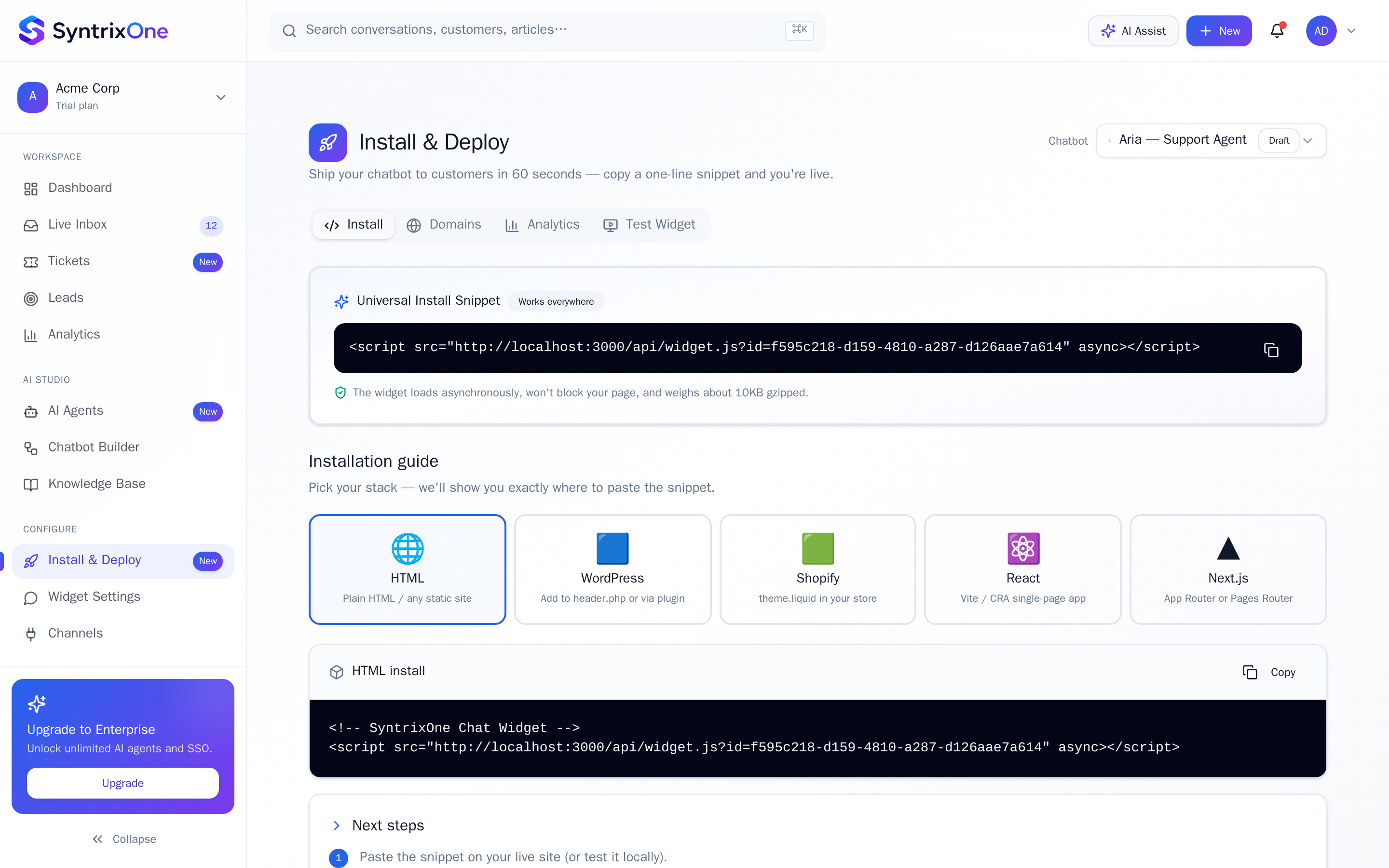
Open Install & Deploy
Sidebar → Install & Deploy.
2
Copy the snippet
A single <script async> tag — paste before </body>.
3
Theme it
Widget Settings → colours, position, greeting message, business hours.
4
Verify install
Open your site. The widget appears within seconds. Status flips to Live in Install & Deploy.
Watch tutorial
Watch: 60-second widget install
Video coming soon — bookmark this page or subscribe for the release.
Tips & best practices
Field-tested advice from teams shipping SyntrixOne in production.
- Use Trigger rules to open the widget proactively (e.g. on /pricing after 30 seconds).
- Pre-fill the visitor with what you already know via window.SyntrixOne.identify({...}).
Common issues & troubleshooting
What goes wrong, and exactly how to fix it.
Frequently asked questions
3 answers to the questions teams ask most.
Ready when you are
Install your Widget
Estimated setup time: 2 minutes.
Related articles
Keep going — explore the next pieces of SyntrixOne.