v1.0
Team & Roles
Invite teammates, assign roles, and configure granular permissions — including SAML SSO and SCIM on Enterprise.
Quick start
Setup time
3 minutes
Prerequisites
- •List of teammate emails
Outcomes
- Team invited and active
- Roles assigned per teammate
Step-by-step walkthrough
Numbered, real-world instructions you can follow today.
1
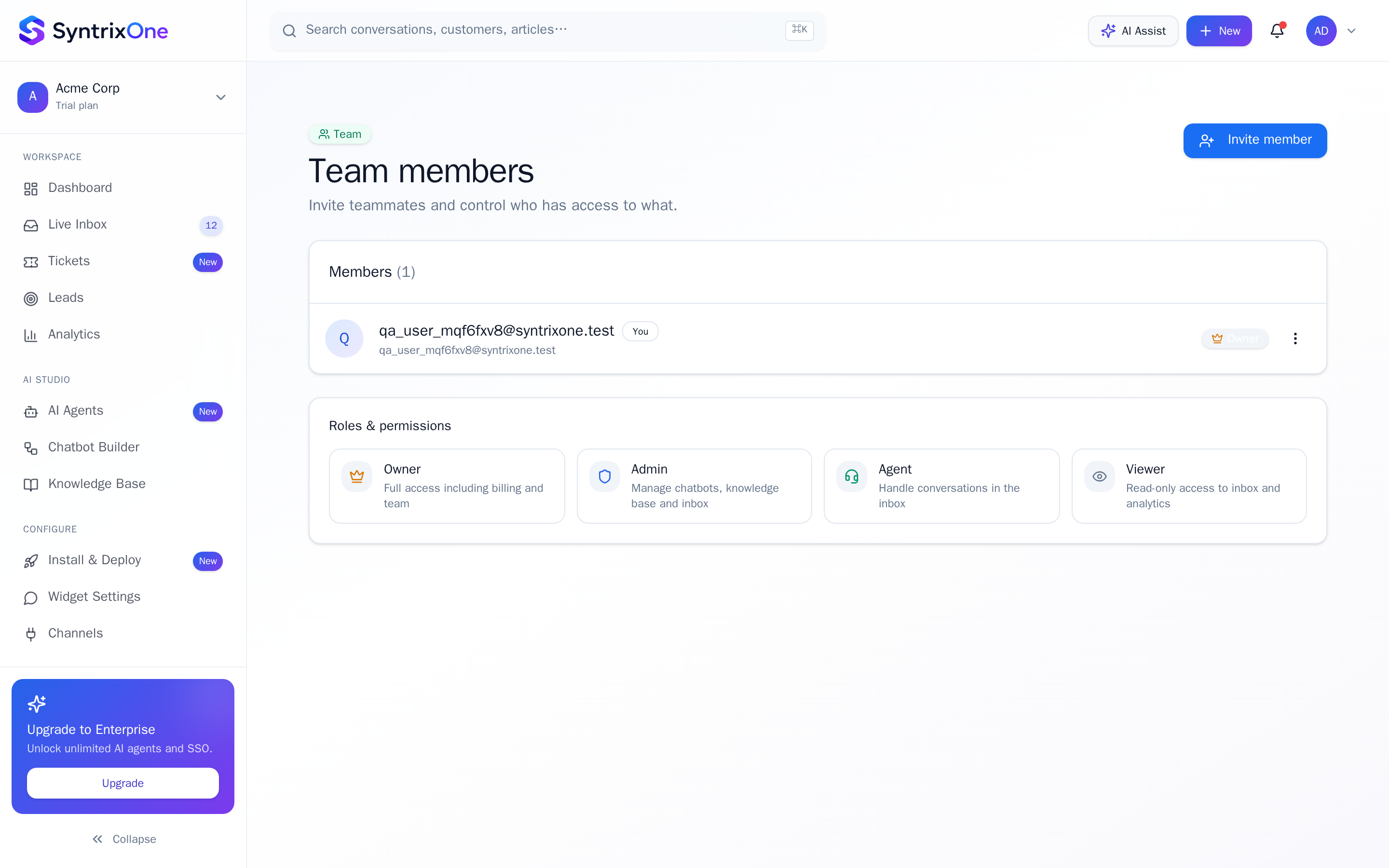
Open Team
Sidebar → Team.
2
Invite teammates
Click + Invite. Multi-paste a list of emails, choose a role, send. Invites expire after 7 days.
3
Assign roles
Roles: Owner, Admin, Agent, Viewer. Custom roles available on Enterprise.
4
Enable SSO (optional)
On Enterprise, switch on SAML / OIDC and provide your IdP metadata.
Watch tutorial
Watch: Team & permissions
Video coming soon — bookmark this page or subscribe for the release.
Tips & best practices
Field-tested advice from teams shipping SyntrixOne in production.
- Make at least two Owners. Single-owner accounts can be locked out if the owner leaves.
- Use Agent role for first-line support, Admin for managers — keeps blast radius small.
Common issues & troubleshooting
What goes wrong, and exactly how to fix it.
Frequently asked questions
3 answers to the questions teams ask most.
Ready when you are
Invite your team
Estimated setup time: 3 minutes.
Related articles
Keep going — explore the next pieces of SyntrixOne.