AI Agents
Autonomous, knowledge-grounded agents that can answer, qualify, and act on behalf of your team — 24/7.
- •At least one Knowledge Base source connected
- •A clear persona and tone (e.g. "Friendly support engineer")
- •Optional: a custom domain for branded handoff emails
- A live AI Agent answering customer questions
- Confidence thresholds and human handoff configured
- Agent attached to one or more channels (web, email, WhatsApp)
Step-by-step walkthrough
Numbered, real-world instructions you can follow today.
From the sidebar, click AI Agents under AI Studio. You will see all existing agents along with their performance KPIs (resolution rate, CSAT, avg handle time).
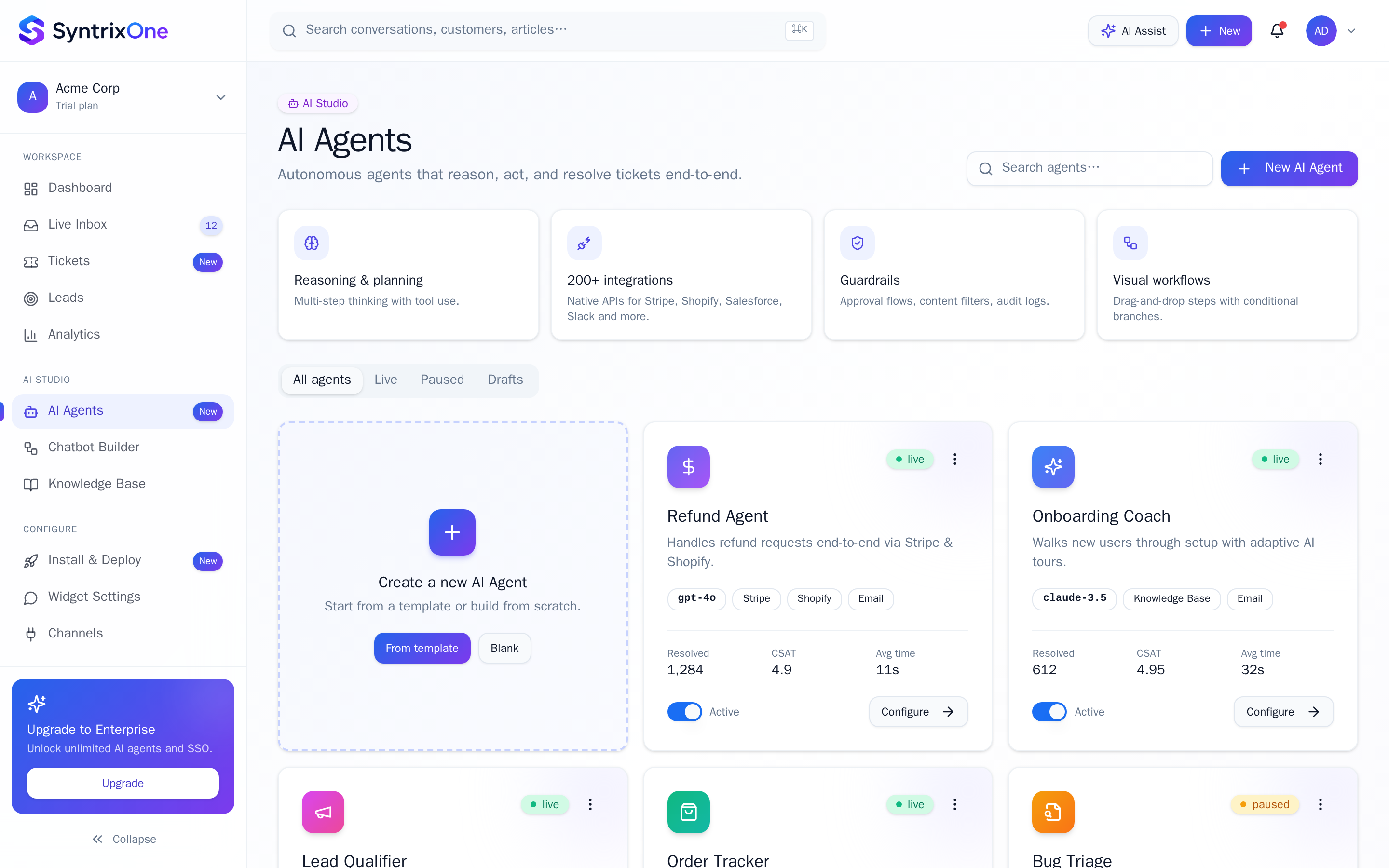
Click + New agent. Give it a name your customers will see (e.g. "Aria from Acme"), and choose a starter template — Support, Sales, or Custom. Templates ship with persona, guardrails, and recommended tools pre-filled.
In Persona, describe who the agent is, what it can do, and what it must never do. Keep it ≤ 2 paragraphs. Add explicit boundaries: refund policy, escalation triggers, brand voice.
Under Knowledge, select the KB sources this agent can read from. The agent will only answer using approved sources — never on its base model alone — eliminating hallucinations.
Under Handoff, set a confidence threshold (default 0.75). Below the threshold, conversations are routed to the live inbox with a clear escalation reason and full context.
Use the built-in Playground to stress-test 10–15 real customer questions. When happy, toggle Live and attach the agent to your channels.
Tips & best practices
Field-tested advice from teams shipping SyntrixOne in production.
- One agent per job-to-be-done outperforms one mega-agent. Start with "Support", add "Sales-qualify" later.
- Re-use real conversation transcripts as test cases — drop them in the Playground to see how the agent would have handled them.
- Pin critical guardrails (e.g. "Never quote prices") at the top of the persona, not at the bottom.
Common issues & troubleshooting
What goes wrong, and exactly how to fix it.
Frequently asked questions
8 answers to the questions teams ask most.
Create your first AI Agent
Estimated setup time: 5–10 minutes.
Related articles
Keep going — explore the next pieces of SyntrixOne.