Getting Started
Set up your SyntrixOne workspace, invite your team, and ship your first AI agent in under 15 minutes.
- •A work email address
- •Admin access to your website (to install the chat widget later)
- •A modern browser (Chrome, Edge, Safari, Firefox)
- A SyntrixOne workspace created and branded
- At least one teammate invited
- The first AI Agent or Chatbot ready to deploy
Step-by-step walkthrough
Numbered, real-world instructions you can follow today.
Visit syntrixone.com and click "Get started". Register with your work email, set a password (8+ characters), and click Create account. You will be logged in automatically.
After your first login you will land on the Onboarding wizard. Give your workspace a clear, recognisable name (e.g. "Acme Corp"). Pick a default timezone — it powers SLAs, analytics windows, and email send schedules.
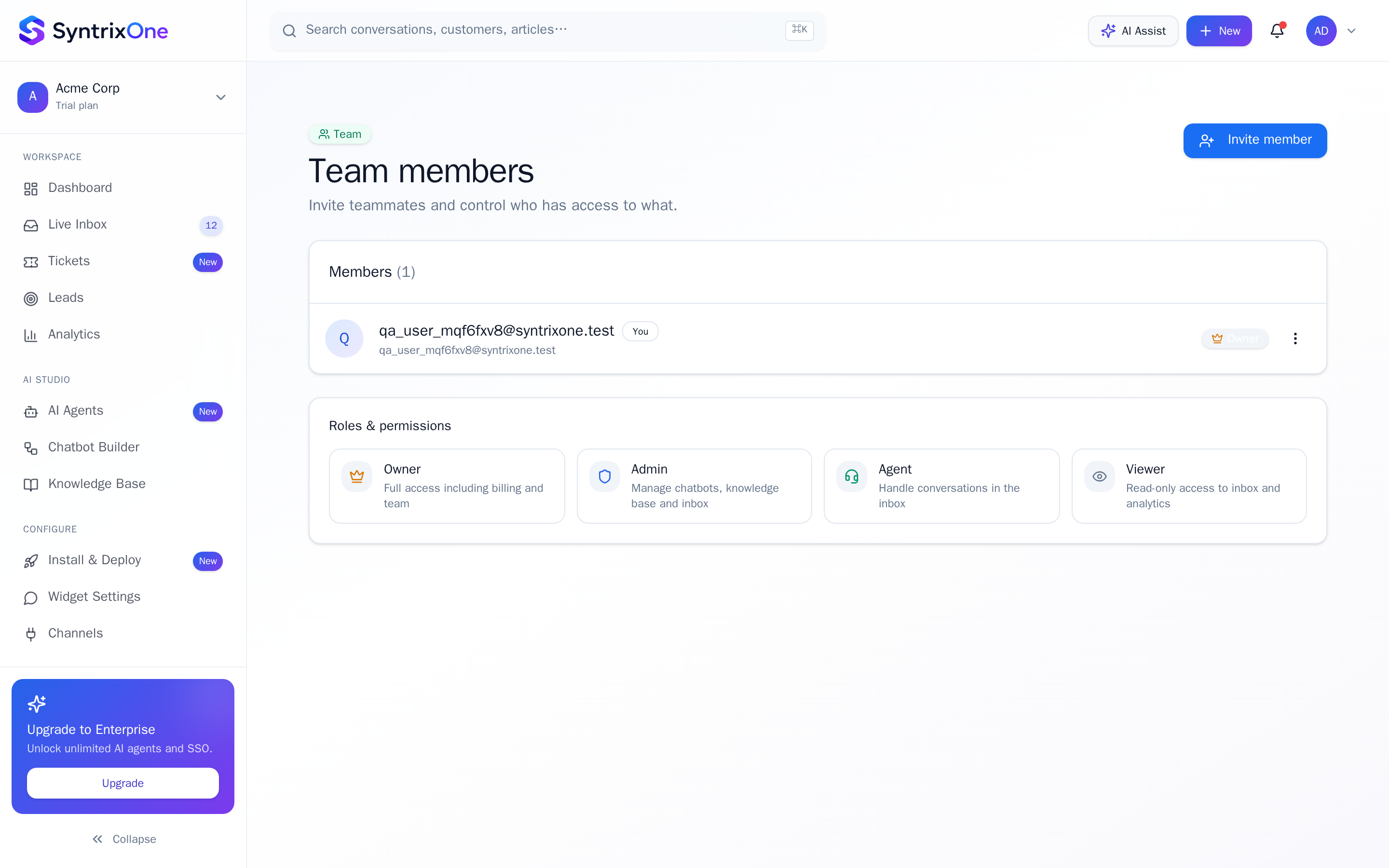
Open Team from the sidebar and click Invite. Add email addresses, choose a role (Owner, Admin, Agent, Viewer), and send. Invited teammates receive a branded SyntrixOne email with a one-click join link.
Decide whether to start with an AI Agent (autonomous, KB-grounded) or a Chatbot Flow (deterministic, button-driven). New teams usually start with one AI Agent connected to a small Knowledge Base.
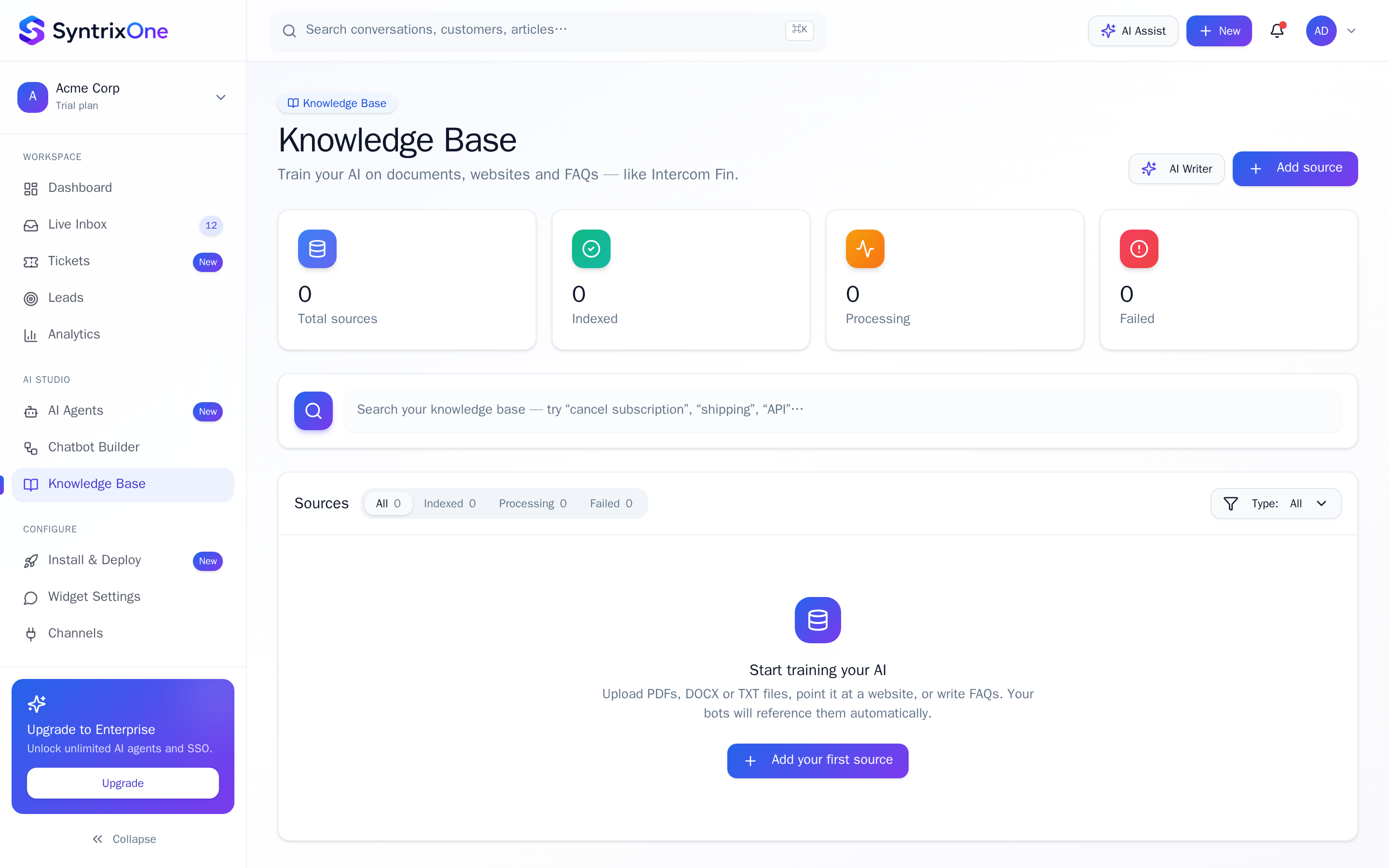
Go to Knowledge Base and add at least one source — a website URL to crawl, a PDF, a Markdown doc, or a Q&A pair. Sources sync automatically and become your AI grounding layer.
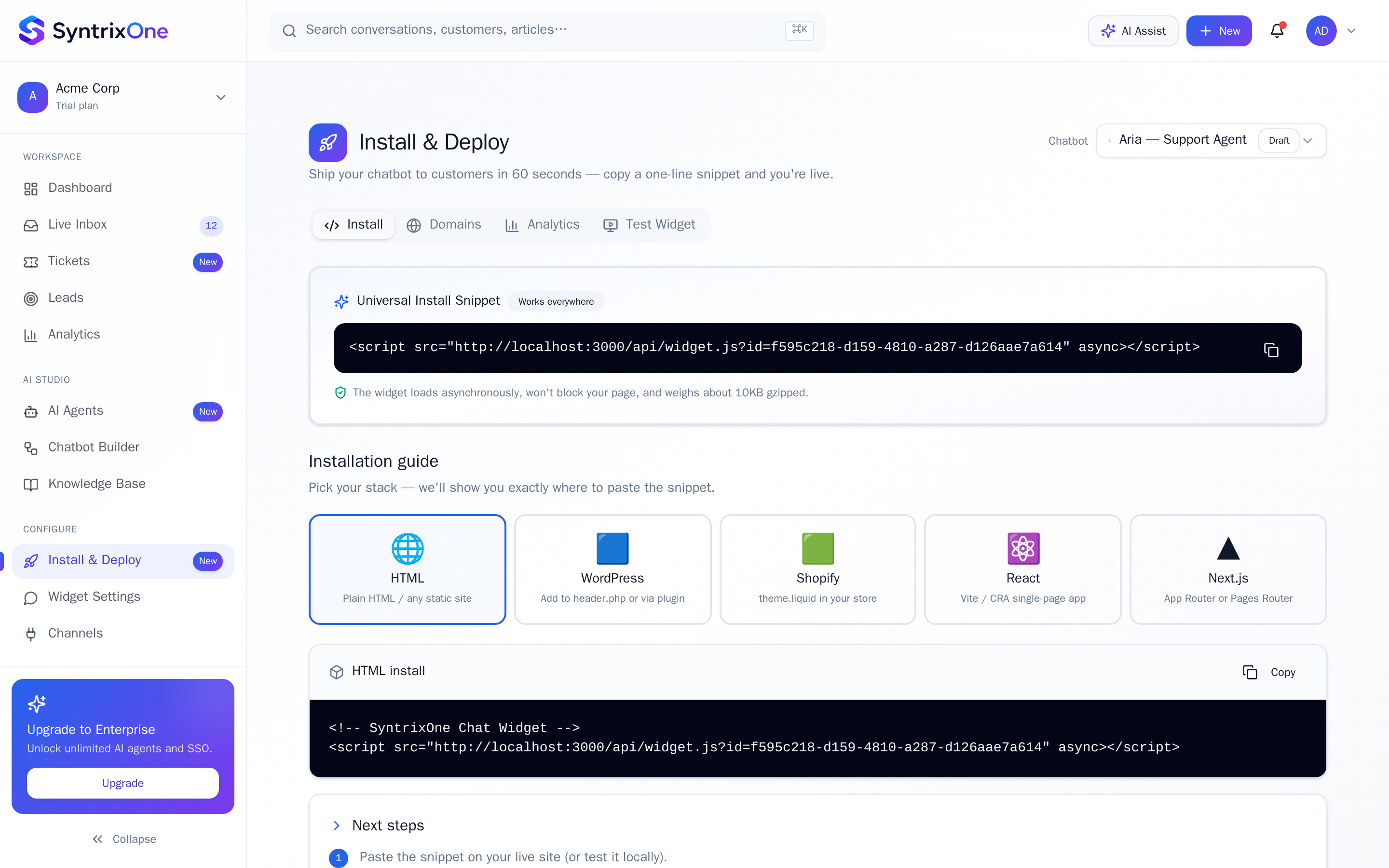
Open Install & Deploy, copy the single-line script, and paste it before </body> on any page. The widget appears within seconds and inherits your brand colours from Widget Settings.
Tips & best practices
Field-tested advice from teams shipping SyntrixOne in production.
- Use a real customer FAQ doc as your first KB source — accuracy jumps immediately.
- Owners get unlimited seats during trial. Invite product, support, and sales early to build shared muscle.
- Enable Email notifications under Settings so you never miss an escalated conversation.
Common issues & troubleshooting
What goes wrong, and exactly how to fix it.
Frequently asked questions
8 answers to the questions teams ask most.
Create your first AI Agent
Estimated setup time: 10–15 minutes.
Related articles
Keep going — explore the next pieces of SyntrixOne.