Knowledge Base
The grounding layer for every AI Agent. Ingest URLs, PDFs, docs, and Q&A — automatically chunked, embedded, and version-tracked.
- •Source content (URL, PDF, Markdown, CSV)
- •Optional: an existing FAQ page
- First KB source synced
- AI Agent grounded on real content
Step-by-step walkthrough
Numbered, real-world instructions you can follow today.
Sidebar → Knowledge Base. You'll see all sources, sync status, and last-updated timestamps.
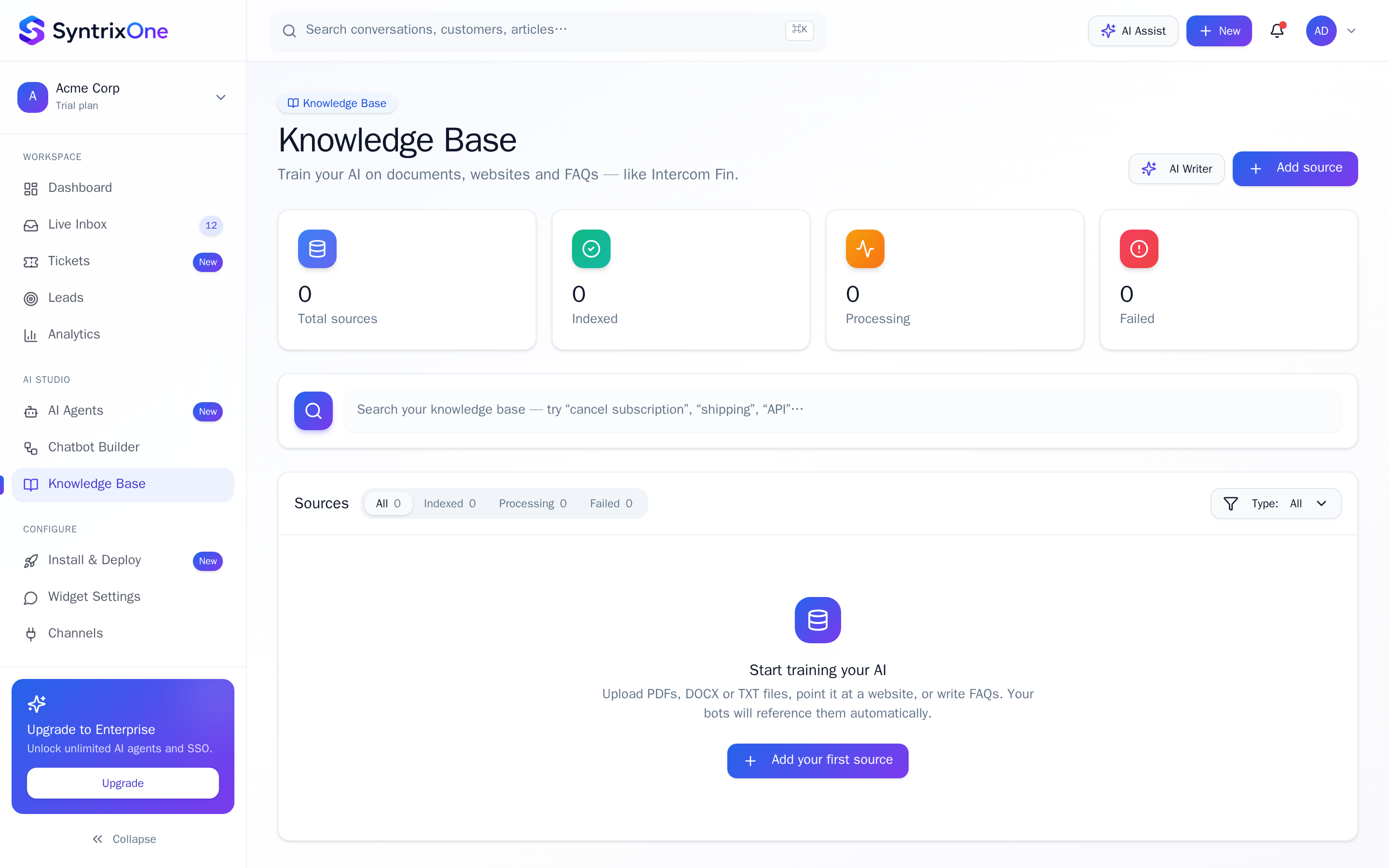
Click + Add source. Pick URL, File, Q&A, or Markdown. URLs are crawled recursively (depth configurable). Files are parsed and chunked automatically.
Sources move from Pending → Syncing → Synced. Syncing typically completes in 30–120 seconds depending on content size.
In AI Agents → Knowledge, tick the new source. The agent will start using it on the next conversation.
Tips & best practices
Field-tested advice from teams shipping SyntrixOne in production.
- Prefer one Markdown file per topic over giant PDFs — answers become more precise.
- Re-sync sources after every product change so the AI never gives stale guidance.
Common issues & troubleshooting
What goes wrong, and exactly how to fix it.
Frequently asked questions
6 answers to the questions teams ask most.
Add your first Knowledge Base source
Estimated setup time: 5–15 minutes.
Related articles
Keep going — explore the next pieces of SyntrixOne.