Chatbot Builder
Visual, no-code flow builder for deterministic conversations — perfect for onboarding, qualification, and structured FAQs.
- •A clear conversation map (start → branches → outcomes)
- •Any data you want to capture (email, phone, intent)
- •Optional: a CRM webhook to push qualified leads
- A working chatbot flow you can preview live
- Lead capture wired to your CRM
- Bot deployed on the widget or a specific page
Step-by-step walkthrough
Numbered, real-world instructions you can follow today.
Click Chatbot Builder in the sidebar. Pick a starter template (Lead Capture, Support Triage, Booking) or start from blank.
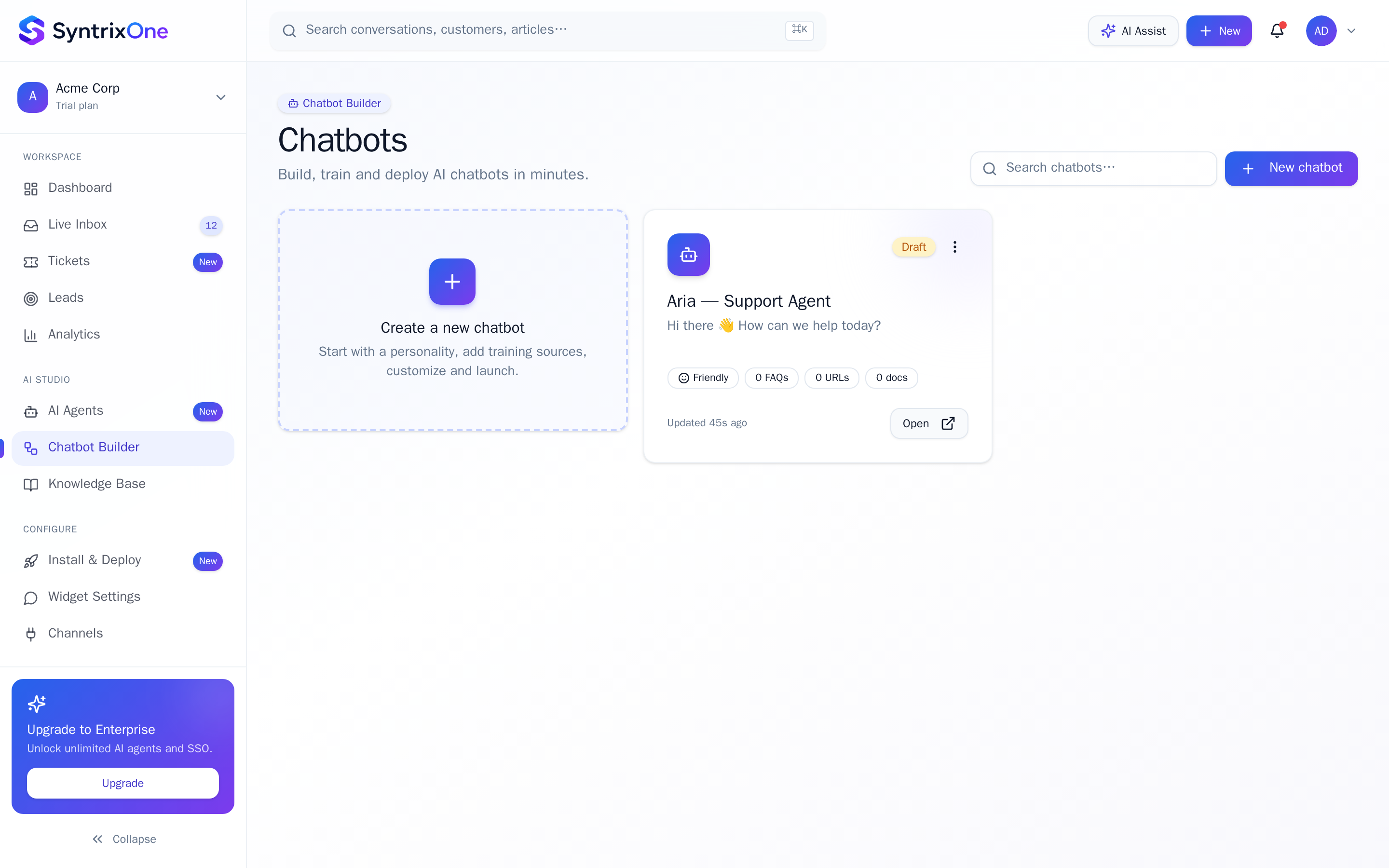
Drag blocks from the left rail onto the canvas: Message, Buttons, Input, Condition, AI Reply, Webhook, Handoff. Connect them with arrows to define the path.
Add Input blocks to capture name, email, phone. Each input creates a variable ({{email}}) you can reference downstream and ship to your CRM.
For the long tail of questions, drop an AI Reply block inside any branch. The bot will answer from your KB, then resume the flow.
Hit Preview to test the flow in a real widget overlay. When happy, click Publish — changes go live in under 10 seconds.
Tips & best practices
Field-tested advice from teams shipping SyntrixOne in production.
- Keep flows under 10 steps. Long flows lose users; route to humans (or to an AI Agent) instead.
- Use Conditions to personalise: returning visitors get a different greeting than first-timers.
- Always end every branch in either a Handoff or a clear "anything else?" loop — no dead ends.
Common issues & troubleshooting
What goes wrong, and exactly how to fix it.
Frequently asked questions
7 answers to the questions teams ask most.
Open the Chatbot Builder
Estimated setup time: 10–20 minutes.
Related articles
Keep going — explore the next pieces of SyntrixOne.